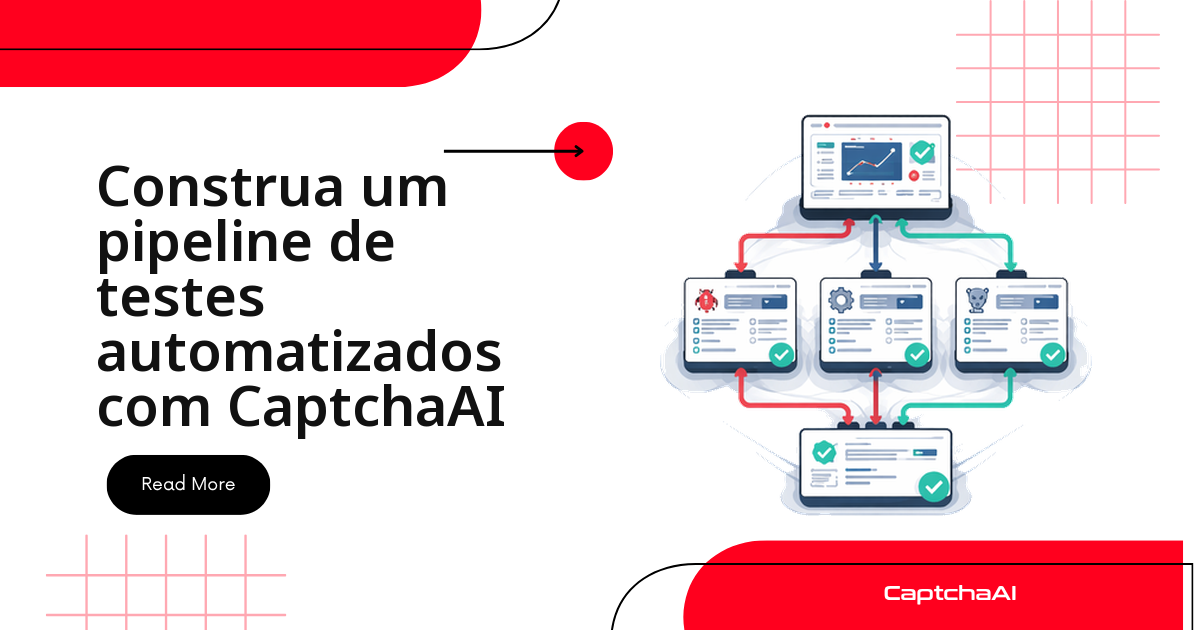
Um login protegido por reCAPTCHA v2 é o motivo mais comum de uma suíte E2E travar no CI. Desativar o CAPTCHA em staging testa um fluxo que não existe em produção; a alternativa é resolvê-lo de verdade, via API, dentro do teste. Este guia monta esse pipeline: helper de CAPTCHA, fixtures do pytest, testes de login e checkout com Selenium, e o workflow do GitHub Actions.
O mesmo helper serve para qualquer teste que dependa de reCAPTCHA v2 — não só login e checkout. Uma vez que a classe CaptchaTestHelper existe, basta importá-la em qualquer módulo de teste que precise atravessar o desafio.
Use sempre dados fictícios (
[email protected], endereços de exemplo) e o domíniostaging.example.comnos testes de CAPTCHA. Isso evita persistir dados reais de usuários em logs de CI — relevante inclusive para obrigações da LGPD ao lidar com dados de teste.
Pré-requisitos para o pipeline de testes
Antes de montar os arquivos abaixo, confirme que o ambiente tem:
- Python 3.11+ com
pytest,seleniumerequestsinstalados. - Uma conta CaptchaAI ativa com chave de API válida, exportada como
CAPTCHAAI_API_KEY. - Chrome instalado localmente e disponível no runner de CI (o workflow abaixo usa
browser-actions/setup-chrome). - Um ambiente de staging com reCAPTCHA v2 ativo — este guia parte do princípio de que o CAPTCHA nunca é desligado para testes.
Estrutura do projeto de testes
Separe o helper de CAPTCHA das rotinas de navegador:
tests/
├── conftest.py          # Shared fixtures
├── helpers/
│   ├── captcha.py       # CaptchaAI integration
│   └── browser.py       # Selenium helpers
├── test_login.py        # Login flow tests
├── test_checkout.py     # Checkout flow tests
└── pytest.ini           # Config
Helper de CAPTCHA para os testes
O helper concentra o envio e a consulta do token:
# tests/helpers/captcha.py
import requests
import time
import os


class CaptchaTestHelper:
    """Solve CAPTCHAs during automated tests."""

    def __init__(self):
        self.api_key = os.environ.get("CAPTCHAAI_API_KEY")
        if not self.api_key:
            raise EnvironmentError("CAPTCHAAI_API_KEY required for CAPTCHA tests")

    def solve_recaptcha(self, sitekey, pageurl):
        resp = requests.post("https://ocr.captchaai.com/in.php", data={
            "key": self.api_key,
            "method": "userrecaptcha",
            "googlekey": sitekey,
            "pageurl": pageurl,
            "json": 1,
        }, timeout=30)
        result = resp.json()
        if result.get("status") != 1:
            raise RuntimeError(f"Submit failed: {result.get('request')}")

        task_id = result["request"]
        time.sleep(15)

        for _ in range(24):
            resp = requests.get("https://ocr.captchaai.com/res.php", params={
                "key": self.api_key, "action": "get",
                "id": task_id, "json": 1,
            }, timeout=15)
            data = resp.json()
            if data.get("status") == 1:
                return data["request"]
            if data["request"] != "CAPCHA_NOT_READY":
                raise RuntimeError(data["request"])
            time.sleep(5)

        raise TimeoutError("CAPTCHA solve timeout in test")

    def inject_token(self, driver, token):
        """Inject solved token into Selenium browser."""
        driver.execute_script(
            'document.getElementById("g-recaptcha-response").value = arguments[0];',
            token,
        )
        # Trigger callback if available
        driver.execute_script("""
            if (typeof ___grecaptcha_cfg !== 'undefined') {
                var clients = ___grecaptcha_cfg.clients;
                for (var key in clients) {
                    var client = clients[key];
                    for (var prop in client) {
                        var val = client[prop];
                        if (val && typeof val === 'object') {
                            for (var inner in val) {
                                if (typeof val[inner] === 'function') {
                                    val[inner](arguments[0]);
                                    return;
                                }
                            }
                        }
                    }
                }
            }
        """, token)
Fixtures do pytest
Uma fixture instancia o helper; a outra sobe um Chrome headless:
# tests/conftest.py
import pytest
from selenium import webdriver
from selenium.webdriver.chrome.options import Options
from helpers.captcha import CaptchaTestHelper


@pytest.fixture(scope="session")
def captcha_solver():
    return CaptchaTestHelper()


@pytest.fixture(scope="function")
def browser():
    options = Options()
    options.add_argument("--headless")
    options.add_argument("--no-sandbox")
    options.add_argument("--disable-dev-shm-usage")
    driver = webdriver.Chrome(options=options)
    driver.implicitly_wait(10)
    yield driver
    driver.quit()


@pytest.fixture(scope="session")
def base_url():
    return "https://staging.example.com"
Teste de login com CAPTCHA
O teste preenche o formulário, resolve e injeta o token, depois valida o redirecionamento:
# tests/test_login.py
import pytest
from selenium.webdriver.common.by import By


class TestLogin:
    def test_valid_login_with_captcha(self, browser, captcha_solver, base_url):
        """Test that login succeeds when CAPTCHA is solved correctly."""
        browser.get(f"{base_url}/login")

        # Fill form
        browser.find_element(By.ID, "email").send_keys("[email protected]")
        browser.find_element(By.ID, "password").send_keys("testpassword123")

        # Solve CAPTCHA
        sitekey = browser.find_element(
            By.CLASS_NAME, "g-recaptcha"
        ).get_attribute("data-sitekey")

        token = captcha_solver.solve_recaptcha(sitekey, browser.current_url)
        captcha_solver.inject_token(browser, token)

        # Submit
        browser.find_element(By.ID, "login-btn").click()

        # Assert redirect to dashboard
        assert "/dashboard" in browser.current_url
        assert browser.find_element(By.CLASS_NAME, "welcome-message")

    def test_invalid_credentials_with_captcha(self, browser, captcha_solver, base_url):
        """Test that wrong credentials show error even with valid CAPTCHA."""
        browser.get(f"{base_url}/login")

        browser.find_element(By.ID, "email").send_keys("[email protected]")
        browser.find_element(By.ID, "password").send_keys("wrongpass")

        sitekey = browser.find_element(
            By.CLASS_NAME, "g-recaptcha"
        ).get_attribute("data-sitekey")

        token = captcha_solver.solve_recaptcha(sitekey, browser.current_url)
        captcha_solver.inject_token(browser, token)

        browser.find_element(By.ID, "login-btn").click()

        error = browser.find_element(By.CLASS_NAME, "error-message")
        assert "Invalid" in error.text
Teste de checkout com CAPTCHA
No checkout o CAPTCHA costuma aparecer depois de carrinho e endereço preenchidos:
# tests/test_checkout.py
from selenium.webdriver.common.by import By
from selenium.webdriver.support.ui import WebDriverWait
from selenium.webdriver.support import expected_conditions as EC


class TestCheckout:
    def test_checkout_flow_with_captcha(self, browser, captcha_solver, base_url):
        """Full checkout flow: add item, fill form, solve CAPTCHA, confirm."""
        # Add item to cart
        browser.get(f"{base_url}/products/test-item")
        browser.find_element(By.ID, "add-to-cart").click()

        # Go to checkout
        browser.get(f"{base_url}/checkout")

        # Fill shipping
        browser.find_element(By.ID, "address").send_keys("123 Test St")
        browser.find_element(By.ID, "city").send_keys("Test City")
        browser.find_element(By.ID, "zip").send_keys("12345")

        # Solve CAPTCHA on checkout page
        captcha_el = browser.find_element(By.CLASS_NAME, "g-recaptcha")
        sitekey = captcha_el.get_attribute("data-sitekey")

        token = captcha_solver.solve_recaptcha(sitekey, browser.current_url)
        captcha_solver.inject_token(browser, token)

        # Submit order
        browser.find_element(By.ID, "place-order").click()

        # Wait for confirmation
        wait = WebDriverWait(browser, 15)
        confirmation = wait.until(
            EC.presence_of_element_located((By.CLASS_NAME, "order-confirmation"))
        )
        assert "Thank you" in confirmation.text
Configuração do pytest
Um marcador isola os testes que gastam créditos:
# tests/pytest.ini
[pytest]
markers =
    captcha: tests requiring CAPTCHA solving (cost per run)
addopts = -v --tb=short
GitHub Actions: workflow de CI
Injete a chave da API como secret e rode os testes captcha no schedule semanal, não a cada commit:
# .github/workflows/e2e-tests.yml
name: E2E Tests

on:
  push:
    branches: [main]
  schedule:

    - cron: "0 6 * * 1"  # Weekly Monday 6 AM

jobs:
  e2e:
    runs-on: ubuntu-latest
    steps:

      - uses: actions/checkout@v4

      - name: Setup Python
        uses: actions/setup-python@v5
        with:
          python-version: "3.11"

      - name: Install dependencies
        run: pip install pytest selenium requests

      - name: Install Chrome
        uses: browser-actions/setup-chrome@latest

      - name: Run E2E tests
        env:
          CAPTCHAAI_API_KEY: ${{ secrets.CAPTCHAAI_API_KEY }}
        run: pytest tests/ -m captcha -v
Runner self-hospedado em São Paulo
Times que rodam o CI num runner self-hosted na região sa-east-1 (São Paulo) da AWS, em vez do ubuntu-latest hospedado pela GitHub, tendem a ver o solve_recaptcha retornar bem antes do timeout de 30 s configurado no helper — a proximidade geográfica com o endpoint da CaptchaAI reduz o RTT da requisição inicial ao in.php. Em runners hospedados fora da América do Sul, o mesmo timeout de 30 s costuma ser suficiente, mas vale monitorar o tempo total do passo Run E2E tests ao trocar de região.
Boas práticas para manter o pipeline de CI estável
Depois que os testes acima passam localmente, alguns ajustes evitam que o pipeline fique instável em produção:
- Rode a suíte de CAPTCHA no schedule semanal, não a cada push — é assim que o workflow acima já está configurado, e evita gastar créditos em cada commit.
- Isole os testes com o marcador
captcha(pytest -m captcha) para que PRs pequenos rodem a suíte rápida sem esperar pela resolução do reCAPTCHA. - Monitore o saldo de créditos da CaptchaAI junto com o dashboard de CI — um saldo zerado derruba a suíte inteira com um erro genérico de submissão.
- Aumente o timeout do polling (o loop em
solve_recaptcha) antes de aumentar o timeout do teste inteiro — na maioria dos casos o gargalo é a rede do runner, não o Selenium. - Não pare de exibir o CAPTCHA em staging para "facilitar" o CI — isso testa um fluxo que a produção nunca executa.
Solução de problemas
| Problema | Causa | Correção |
|---|---|---|
| Injeção do token falha | Elemento textarea não encontrado | Verifique o ID do elemento ou use querySelector('[name="g-recaptcha-response"]') |
| Testes passam localmente, falham no CI | Versão diferente do Chrome | Fixe a versão do Chrome na configuração do CI |
| CAPTCHA ausente em staging | O ambiente de staging desativa o CAPTCHA | Habilite o CAPTCHA na configuração do ambiente de teste |
| Timeout aguardando a resolução | Rede lenta no CI | Aumente o timeout do polling para 180 s |
| Testes de CAPTCHA falham em lote no CI | Saldo de créditos da CaptchaAI zerado | Verifique o saldo no painel antes de investigar o código do teste |
Perguntas frequentes
Preciso desativar o CAPTCHA em staging para os testes passarem?
Não. Isso testaria um caminho que não existe em produção. Mantenha-o ativo e resolva-o de verdade, como neste guia.
Quanto custa rodar os testes de CAPTCHA todos os dias?
Poucos centavos por resolução. Uma suíte de 10 testes diários fica abaixo de US$ 10/mês.
Rodar os testes em paralelo no CI consome mais threads?
Sim, cada teste simultâneo ocupa uma thread até o token voltar. Com 10 jobs em paralelo, o BASIC (US$ 15/mês, 5 threads) pode enfileirar; o STANDARD (US$ 30/mês, 15 threads) resolve isso.
Como pulo os testes de CAPTCHA na minha máquina local?
Use pytest -m "not captcha", que ignora os testes marcados com @pytest.mark.captcha.
Esse pipeline funciona com outro tipo de CAPTCHA?
Sim — muda só o method enviado ao in.php. A CaptchaAI resolve Turnstile e GeeTest v3; hCaptcha/FunCaptcha ainda não.
Guias relacionados
Nunca deixe o CAPTCHA travar seus testes — comece com a CaptchaAI.