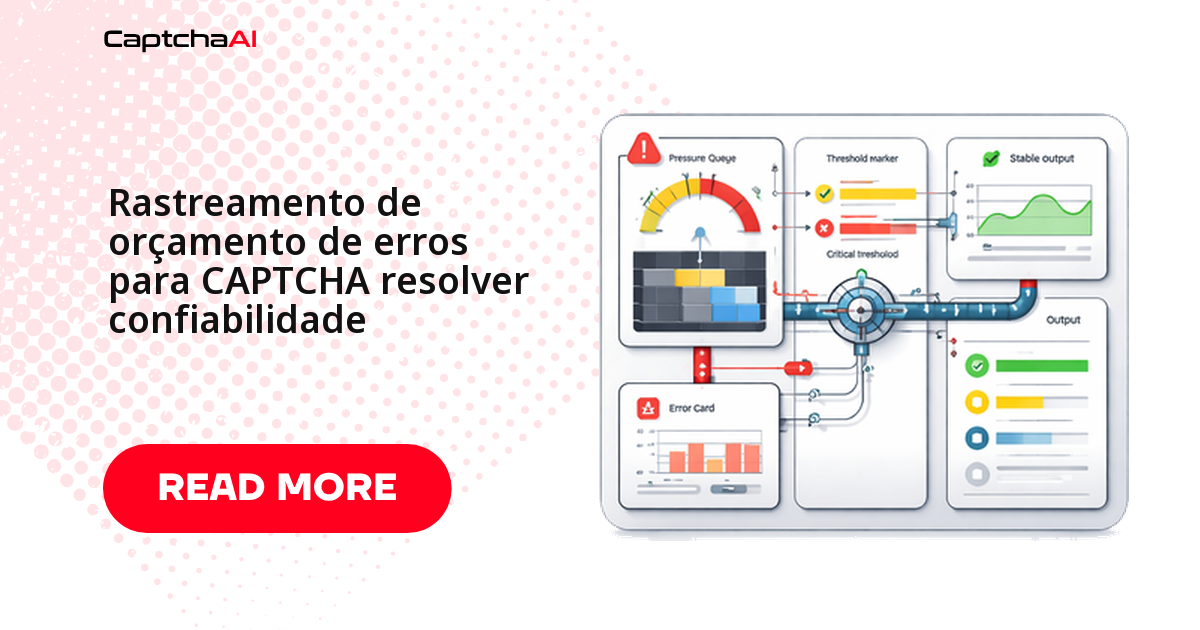
Um orçamento de erros responde a uma pergunta prática: quantas falhas de resolução de CAPTCHA sua automação pode acumular antes de estourar o SLO combinado com o time de produto? Sem esse número, uma queda de 95% para 94,2% na taxa de sucesso vira debate de plantão — "isso é grave ou é ruído normal?" Com o orçamento calculado, a resposta fica objetiva: faltam X falhas para a janela estourar, e você decide com dado na mão se segue automatizando, investiga ou pausa novas implantações.
A prática vem do SRE (site reliability engineering) e encaixa bem em pipelines de CAPTCHA porque o "sucesso" já é probabilístico por natureza — reCAPTCHA v2, Turnstile e CAPTCHAs de imagem nunca fecham em 100%, então tratar cada falha isolada como incidente esgota o time rápido. Este guia mostra como definir o SLO, calcular o orçamento, ler a taxa de queima (burn rate) e automatizar o alerta, com rastreadores completos em Python e JavaScript.
O que é um orçamento de erros na resolução de CAPTCHA
Quatro conceitos sustentam o cálculo:
| Conceito | Definição | Exemplo |
|---|---|---|
| SLO | Taxa de sucesso desejada | 95% de soluções bem-sucedidas |
| Orçamento de erros | Taxa de falha permitida | 5% do total de soluções pode falhar |
| Taxa de queima (burn rate) | Velocidade de consumo do orçamento | 2× significa orçamento esgotado na metade da janela |
| Janela | Período de medição | 24 horas ou 7 dias, em janela móvel |
Com SLO de 95% numa janela de 24 horas e 10.000 soluções, o orçamento é de 500 falhas. Passou disso, pare novas implantações ou mudanças arriscadas até a taxa se recuperar.
Isso é diferente de tratar cada erro como incidente isolado. Times que rodam QA de checkout com reCAPTCHA v2 e Turnstile em staging usam esse número para decidir se uma alteração no fluxo de login pode seguir para produção ou precisa de mais uma rodada de testes. Ao registrar esses eventos para auditoria, vale lembrar da LGPD sobre retenção e anonimização de log — guarde contadores agregados, não o payload completo de cada tentativa.
Trate tipos de CAPTCHA diferentes como orçamentos diferentes: reCAPTCHA v2, Turnstile e CAPTCHAs de imagem têm taxas de erro distintas, e um orçamento único esconde qual tipo está realmente com problema.
Rastreador de orçamento de erros em Python
O rastreador abaixo mede o SLO numa janela deslizante, calcula o burn rate a cada evento e dispara callbacks quando o status muda — de healthy para warning, critical ou exhausted. Ligue a chamada budget.record(...) direto no seu wrapper de in.php/res.php:
import time
import threading
from dataclasses import dataclass, field
from collections import deque
from enum import Enum

API_KEY = "YOUR_API_KEY"


class BudgetStatus(Enum):
    HEALTHY = "healthy"          # Budget > 50% remaining
    WARNING = "warning"          # Budget 10-50% remaining
    CRITICAL = "critical"        # Budget < 10% remaining
    EXHAUSTED = "exhausted"      # Budget depleted


@dataclass
class SLOConfig:
    """Service Level Objective configuration."""
    target_success_rate: float = 0.95  # 95%
    window_seconds: int = 86400        # 24 hours
    warning_threshold: float = 0.50    # Alert at 50% budget
    critical_threshold: float = 0.10   # Alert at 10% budget


@dataclass
class ErrorBudgetEvent:
    timestamp: float
    success: bool


class ErrorBudgetTracker:
    """Tracks error budget consumption for CAPTCHA solving."""

    def __init__(self, config: SLOConfig = SLOConfig()):
        self.config = config
        self._events: deque[ErrorBudgetEvent] = deque()
        self._lock = threading.Lock()
        self._callbacks: dict[BudgetStatus, list[callable]] = {
            status: [] for status in BudgetStatus
        }
        self._last_status = BudgetStatus.HEALTHY

    def on_status_change(self, status: BudgetStatus, callback: callable):
        """Register a callback for status transitions."""
        self._callbacks[status].append(callback)

    def record(self, success: bool):
        """Record a solve attempt."""
        now = time.monotonic()
        event = ErrorBudgetEvent(timestamp=now, success=success)

        with self._lock:
            self._events.append(event)
            self._prune(now)
            new_status = self._compute_status()

            if new_status != self._last_status:
                self._last_status = new_status
                for cb in self._callbacks.get(new_status, []):
                    try:
                        cb(self.get_report())
                    except Exception as e:
                        print(f"[BUDGET] Callback error: {e}")

    def _prune(self, now: float):
        """Remove events outside the window."""
        cutoff = now - self.config.window_seconds
        while self._events and self._events[0].timestamp < cutoff:
            self._events.popleft()

    def _compute_status(self) -> BudgetStatus:
        remaining = self.remaining_fraction
        if remaining <= 0:
            return BudgetStatus.EXHAUSTED
        if remaining < self.config.critical_threshold:
            return BudgetStatus.CRITICAL
        if remaining < self.config.warning_threshold:
            return BudgetStatus.WARNING
        return BudgetStatus.HEALTHY

    @property
    def total_events(self) -> int:
        with self._lock:
            return len(self._events)

    @property
    def success_count(self) -> int:
        with self._lock:
            return sum(1 for e in self._events if e.success)

    @property
    def failure_count(self) -> int:
        with self._lock:
            return sum(1 for e in self._events if not e.success)

    @property
    def current_success_rate(self) -> float:
        total = self.total_events
        return self.success_count / total if total > 0 else 1.0

    @property
    def error_budget_total(self) -> float:
        """Total allowed failures in the window."""
        total = self.total_events
        if total == 0:
            return 0
        return total * (1 - self.config.target_success_rate)

    @property
    def error_budget_remaining(self) -> float:
        """Remaining failure allowance."""
        return max(0, self.error_budget_total - self.failure_count)

    @property
    def remaining_fraction(self) -> float:
        """Fraction of error budget remaining (0.0 to 1.0)."""
        budget = self.error_budget_total
        if budget <= 0:
            return 1.0 if self.failure_count == 0 else 0.0
        return max(0, self.error_budget_remaining / budget)

    @property
    def burn_rate(self) -> float:
        """How fast the budget is being consumed (1.0 = normal, 2.0 = 2× faster)."""
        total = self.total_events
        if total == 0:
            return 0.0
        expected_failures = total * (1 - self.config.target_success_rate)
        if expected_failures == 0:
            return 0.0
        return self.failure_count / expected_failures

    def get_report(self) -> dict:
        return {
            "status": self._last_status.value,
            "slo_target": self.config.target_success_rate,
            "current_rate": round(self.current_success_rate, 4),
            "total_events": self.total_events,
            "successes": self.success_count,
            "failures": self.failure_count,
            "budget_total": round(self.error_budget_total, 1),
            "budget_remaining": round(self.error_budget_remaining, 1),
            "budget_remaining_pct": round(self.remaining_fraction * 100, 1),
            "burn_rate": round(self.burn_rate, 2),
        }


# --- Integration with solver ---

budget = ErrorBudgetTracker(SLOConfig(
    target_success_rate=0.95,
    window_seconds=3600,  # 1-hour window for demo
))

# Register alerts
budget.on_status_change(BudgetStatus.WARNING, lambda r:
    print(f"[ALERT] Budget warning: {r['budget_remaining_pct']}% remaining"))

budget.on_status_change(BudgetStatus.CRITICAL, lambda r:
    print(f"[ALERT] Budget critical: {r['budget_remaining_pct']}% remaining"))

budget.on_status_change(BudgetStatus.EXHAUSTED, lambda r:
    print(f"[ALERT] Budget EXHAUSTED — throttle new requests"))


def solve_with_budget(params: dict) -> str:
    """Solve CAPTCHA while tracking error budget."""
    import requests

    if budget._last_status == BudgetStatus.EXHAUSTED:
        raise RuntimeError("Error budget exhausted — solving paused")

    try:
        submit_params = {**params, "key": API_KEY, "json": 1}
        resp = requests.post(
            "https://ocr.captchaai.com/in.php", data=submit_params, timeout=30
        ).json()
        if resp.get("status") != 1:
            budget.record(False)
            raise RuntimeError(f"Submit: {resp.get('request')}")

        task_id = resp["request"]
        start = time.monotonic()
        while time.monotonic() - start < 180:
            time.sleep(5)
            poll = requests.get("https://ocr.captchaai.com/res.php", params={
                "key": API_KEY, "action": "get", "id": task_id, "json": 1,
            }, timeout=15).json()

            if poll.get("request") == "CAPCHA_NOT_READY":
                continue
            if poll.get("status") == 1:
                budget.record(True)
                return poll["request"]

            budget.record(False)
            raise RuntimeError(f"Solve: {poll.get('request')}")

        budget.record(False)
        raise RuntimeError("Timeout")

    except Exception:
        budget.record(False)
        raise


# Usage
for i in range(100):
    try:
        token = solve_with_budget({
            "method": "turnstile",
            "sitekey": "0x4XXXXXXXXXXXXXXXXX",
            "pageurl": "https://example.com",
        })
    except RuntimeError as e:
        if "exhausted" in str(e):
            print(f"Stopped at iteration {i}")
            break

print(budget.get_report())
O mesmo rastreador em JavaScript
A versão em JavaScript segue a mesma lógica — janela deslizante, cálculo de burn rate e callbacks por mudança de status — usando campos privados de classe (#) em vez de um dataclass:
class ErrorBudgetTracker {
  #events = [];
  #config;
  #callbacks = {};

  constructor(config = {}) {
    this.#config = {
      targetRate: config.targetRate || 0.95,
      windowMs: config.windowMs || 3600_000,
      warningThreshold: config.warningThreshold || 0.5,
      criticalThreshold: config.criticalThreshold || 0.1,
    };
    this.lastStatus = "healthy";
  }

  on(status, callback) {
    this.#callbacks[status] = this.#callbacks[status] || [];
    this.#callbacks[status].push(callback);
  }

  record(success) {
    const now = Date.now();
    this.#events.push({ time: now, success });
    this.#prune(now);

    const newStatus = this.#computeStatus();
    if (newStatus !== this.lastStatus) {
      this.lastStatus = newStatus;
      for (const cb of this.#callbacks[newStatus] || []) {
        cb(this.report());
      }
    }
  }

  #prune(now) {
    const cutoff = now - this.#config.windowMs;
    while (this.#events.length && this.#events[0].time < cutoff) {
      this.#events.shift();
    }
  }

  #computeStatus() {
    const frac = this.remainingFraction;
    if (frac <= 0) return "exhausted";
    if (frac < this.#config.criticalThreshold) return "critical";
    if (frac < this.#config.warningThreshold) return "warning";
    return "healthy";
  }

  get total() { return this.#events.length; }
  get successes() { return this.#events.filter((e) => e.success).length; }
  get failures() { return this.#events.filter((e) => !e.success).length; }
  get currentRate() { return this.total ? this.successes / this.total : 1; }

  get budgetTotal() {
    return this.total * (1 - this.#config.targetRate);
  }

  get budgetRemaining() {
    return Math.max(0, this.budgetTotal - this.failures);
  }

  get remainingFraction() {
    const bt = this.budgetTotal;
    if (bt <= 0) return this.failures === 0 ? 1 : 0;
    return Math.max(0, this.budgetRemaining / bt);
  }

  get burnRate() {
    const expected = this.total * (1 - this.#config.targetRate);
    return expected > 0 ? this.failures / expected : 0;
  }

  report() {
    return {
      status: this.lastStatus,
      currentRate: Math.round(this.currentRate * 10000) / 10000,
      total: this.total,
      failures: this.failures,
      budgetRemainingPct: Math.round(this.remainingFraction * 1000) / 10,
      burnRate: Math.round(this.burnRate * 100) / 100,
    };
  }
}

// Usage
const budget = new ErrorBudgetTracker({ targetRate: 0.95, windowMs: 3600_000 });

budget.on("warning", (r) => console.log(`[WARN] ${r.budgetRemainingPct}% budget left`));
budget.on("exhausted", (r) => console.log("[ALERT] Budget exhausted!"));

// Record results from your solver
budget.record(true);   // success
budget.record(false);  // failure
console.log(budget.report());
Taxa de queima: quando o orçamento está acelerando
| Taxa de queima | Significado | Ação |
|---|---|---|
| < 1,0 | Consumindo mais devagar do que o esperado | Nenhuma ação necessária |
| 1,0 | No ritmo para esgotar exatamente no fim da janela | Monitore de perto |
| 2,0 | Orçamento esgotado na metade da janela | Investigue e desacelere |
| 5,0+ | Consumo acelerado do orçamento | Pause soluções não críticas |
Um worker em sa-east-1 (São Paulo) acumulando timeouts de rede costuma aparecer primeiro como burn rate alto — antes mesmo de a taxa de sucesso cair de forma visível. Configure o alerta de warning para abrir um ticket, e o de critical/exhausted para pausar automaticamente as rotas não essenciais.
Solução de problemas comuns
Sintomas comuns depois que o rastreador entra em produção:
| Problema | Causa provável | Correção |
|---|---|---|
| Orçamento esgota rápido demais | SLO apertado demais para as condições reais | Meça a taxa de sucesso atual e defina o SLO com base nela, não numa meta arbitrária |
| Orçamento nunca é consumido | SLO generoso demais | Aperte o SLO aos poucos para forçar ganhos reais de confiabilidade |
| Status oscila entre estados | Janela curta demais | Use uma janela mais longa (24h em vez de 1h) |
| Burn rate enganoso em volume baixo | Poucos eventos distorcem o cálculo | Exija uma contagem mínima de eventos antes de calcular o burn rate |
| Uso de memória do rastreador cresce | Eventos não são removidos da janela | Confirme que _prune/#prune roda em todo record() |
Perguntas frequentes
Qual é um SLO realista para resolver CAPTCHA?
Depende do tipo. O reCAPTCHA v2 costuma girar na faixa de 90–95% entre implementações automatizadas; o Turnstile tende a ficar mais estável; CAPTCHAs de imagem variam conforme a fonte. Meça sua taxa de sucesso atual por uma semana e defina o SLO 2–3 pontos abaixo dessa linha de base — isso cria um orçamento que significa algo, não uma meta chutada.
O que fazer quando o orçamento de erros zera?
Escale a resposta em vez de ignorar. Da menos à mais agressiva: alerte o time, limite novas requisições, pause soluções não essenciais e, em último caso, migre temporariamente para tratamento manual do CAPTCHA. Nunca deixe o EXHAUSTED passar em silêncio — é exatamente o sinal que o orçamento existe para dar.
Esse orçamento substitui os alertas de saldo e status da CaptchaAI?
Não. O painel da CaptchaAI mostra saldo e o status de cada tarefa enviada à API — informação por requisição. O orçamento de erros é uma camada de SLO que você constrói no seu lado, agregando esses resultados ao longo do tempo para decidir sobre alertas e pausas. As duas coisas se complementam.
Quantos eventos preciso registrar antes de confiar no burn rate?
Na prática, algo entre 30 e 50 eventos na janela. Com menos que isso, um único erro isolado pode disparar burn rate de 5× ou mais sem que nada de fato esteja errado. Abaixo desse piso, olhe para o número bruto de falhas em vez do burn rate calculado.
Faz sentido calcular o orçamento junto para tipos beta como CaptchaFox e Lemin?
Não misture. CaptchaFox (beta), Friendly Captcha (beta) e Lemin (beta) ainda não têm taxa de sucesso publicada, então incluí-los no mesmo orçamento de tipos GA como reCAPTCHA ou Turnstile distorce o burn rate dos dois lados. Mantenha um orçamento separado — mesmo que simples — para os tipos beta, e revise o SLO deles conforme mais dados chegarem.
Artigos relacionados
Próximas etapas
Pare de adivinhar se a confiabilidade da sua resolução de CAPTCHA está dentro do esperado — obtenha sua chave de API da CaptchaAI e implemente o rastreamento de orçamento de erros no seu pipeline ainda hoje.
Guias relacionados: