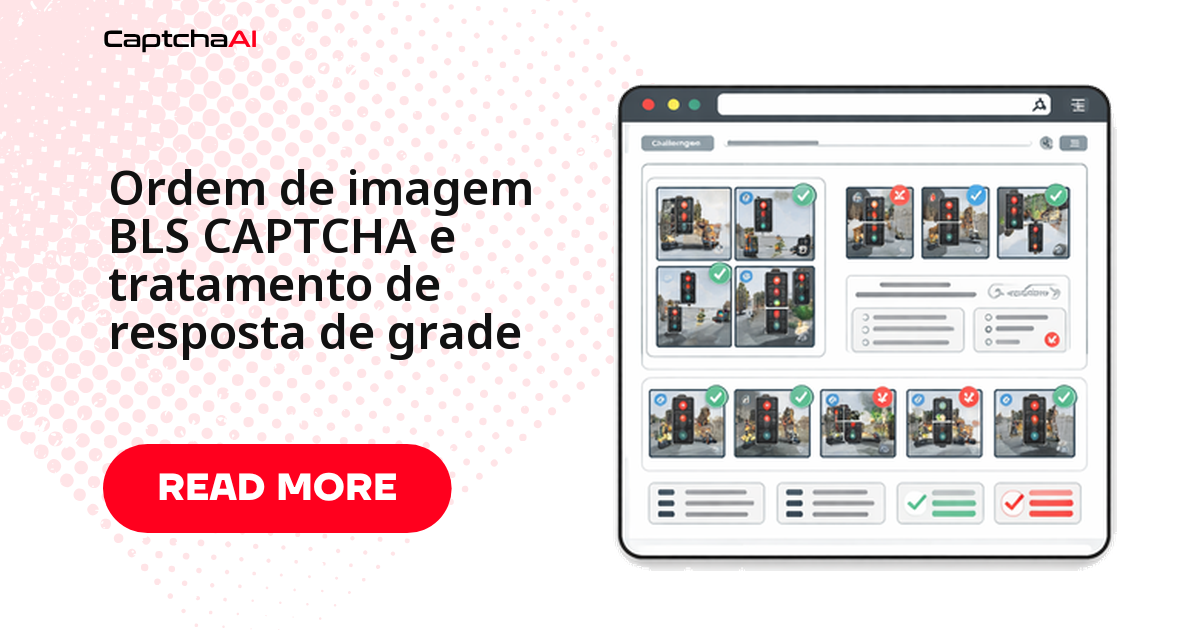
Seu script marca as imagens certas na grade do BLS, mas o formulário ainda rejeita a resposta? Na maioria dos casos o problema não está na resolução do desafio — está no formato em que a resposta volta para a página. O BLS CAPTCHA usa grades de imagem para três finalidades diferentes (ordenar, selecionar, comparar padrões), e cada uma espera um retorno ligeiramente distinto: uma sequência ordenada, um conjunto de índices ou até um bitmask.
Este tutorial mostra como mapear as células da grade, resolver o desafio pela API da CaptchaAI, interpretar a resposta e injetá-la de volta no formulário — com o código Python completo, pronto para adaptar ao seu ambiente de QA.
Tipos de desafio do BLS CAPTCHA em grade
| Tipo de desafio | O que o usuário faz | Formato da resposta |
|---|---|---|
| Ordenação de imagens | Organiza as imagens em ordem específica — números crescentes, ordem alfabética ou sequência de passo a passo | Sequência ordenada de índices, na ordem certa de clique |
| Seleção de imagens | Marca as células que atendem a um critério, como "selecione todas as imagens com texto" | Conjunto de índices sem ordem específica |
| Correspondência de padrões | Identifica quais células da grade correspondem a uma amostra apresentada | Lista de índices das células que batem com o padrão |
A API já resolve os três formatos; o que muda no seu código é como você aplica a resposta ao DOM — clique sequencial, cliques em qualquer ordem ou bitmask.
Onde o BLS CAPTCHA aparece na prática
Portais como os do BLS International são usados por brasileiros e portugueses para agendar vistos — Schengen, Reino Unido — e a grade de imagens costuma aparecer no fluxo de confirmação do agendamento. Se sua equipe de QA precisa validar essa etapa antes de liberar a integração, rode os testes contra um clone em staging com dados fictícios, nunca contra o portal real com dados de candidatos reais — isso mantém o teste alinhado à LGPD (RGPD, em Portugal).
Como mapear a grade do BLS CAPTCHA
Antes de clicar em qualquer célula, seu código precisa converter o índice retornado pela API em uma posição real na tela. Grades do BLS costumam vir em 3x3 ou 4x4; a função abaixo converte nos dois sentidos — de índice para linha/coluna e o inverso —, o que ajuda tanto a depurar respostas quanto a montar seletores CSS dinâmicos.
# grid_mapping.py

# BLS grids typically use 3x3 or 4x4 layouts
# Each cell maps to an index:

# 3x3 grid:
# [0] [1] [2]
# [3] [4] [5]
# [6] [7] [8]

# 4x4 grid:
#  [0]  [1]  [2]  [3]
#  [4]  [5]  [6]  [7]
#  [8]  [9] [10] [11]
# [12] [13] [14] [15]

def grid_position(index, cols=3):
    """Convert flat index to row, column."""
    return index // cols, index % cols


def index_from_position(row, col, cols=3):
    """Convert row, column to flat index."""
    return row * cols + col


# Example: For a 3x3 grid, position (1, 2) = index 5
print(grid_position(5, cols=3))   # (1, 2)
print(index_from_position(1, 2))  # 5
Resolvendo o BLS CAPTCHA de grade pela API da CaptchaAI
Com o mapeamento pronto, o próximo passo é enviar o desafio para a CaptchaAI e aguardar a resposta. A chamada usa method=bls, a sitekey do formulário e o pageurl da página; se o desafio tiver instruções visíveis (o texto que diz o que selecionar ou ordenar), envie-as também — isso ajuda a resolução a acertar o critério certo já na primeira tentativa. O polling segue o padrão da API: envio em in.php, consulta em res.php a cada poucos segundos até o status sair de CAPCHA_NOT_READY.
# solve_bls_grid.py
import requests
import time
import os
import json


def solve_bls_grid(sitekey, pageurl, instructions=None):
    """Solve a BLS grid CAPTCHA and get response indices."""
    api_key = os.environ["CAPTCHAAI_API_KEY"]

    payload = {
        "key": api_key,
        "method": "bls",
        "sitekey": sitekey,
        "pageurl": pageurl,
        "json": 1,
    }
    if instructions:
        payload["instructions"] = instructions

    resp = requests.post(
        "https://ocr.captchaai.com/in.php",
        data=payload,
        timeout=30,
    )
    result = resp.json()
    if result.get("status") != 1:
        raise RuntimeError(f"Submit failed: {result.get('request')}")

    task_id = result["request"]

    time.sleep(10)
    for _ in range(30):
        resp = requests.get("https://ocr.captchaai.com/res.php", params={
            "key": api_key,
            "action": "get",
            "id": task_id,
            "json": 1,
        }, timeout=15)
        data = resp.json()
        if data.get("status") == 1:
            return data["request"]
        if data["request"] != "CAPCHA_NOT_READY":
            raise RuntimeError(data["request"])
        time.sleep(5)

    raise TimeoutError("BLS grid solve timeout")
Interpretando a resposta da API para a grade
A resposta que a CaptchaAI devolve pode chegar de formas diferentes: uma string JSON, uma lista de índices separada por vírgula ou um valor único — depende de como o BLS estruturou aquele desafio específico. A função abaixo normaliza os três formatos em uma lista utilizável e, quando o formulário de destino espera um bitmask em vez de índices soltos, converte automaticamente.
# parse_response.py
import json


def parse_grid_response(solution):
    """Parse CaptchaAI BLS response into actionable grid data."""
    # Solution may be JSON or comma-separated indices
    if isinstance(solution, str):
        try:
            parsed = json.loads(solution)
            return parsed
        except json.JSONDecodeError:
            pass

        # Try comma-separated indices
        if "," in solution:
            return [int(x.strip()) for x in solution.split(",")]

        # Single value
        return [solution]

    return solution


def format_for_submission(indices, grid_size=9):
    """Format indices for form submission."""
    # Some sites expect a bitmask
    bitmask = ["0"] * grid_size
    for idx in indices:
        if isinstance(idx, int) and 0 <= idx < grid_size:
            bitmask[idx] = "1"

    return {
        "indices": indices,
        "bitmask": "".join(bitmask),
        "count": len(indices),
    }
Enviando a resposta ao formulário com Selenium
Depois de normalizar a resposta, a forma de devolvê-la ao formulário depende do tipo de desafio. Para ordenação e seleção, a aplicação costuma clicar nas células na sequência (ou no conjunto) indicado; quando o BLS espera o valor em um campo oculto, basta injetar a string diretamente via JavaScript. Ordenação e seleção pedem intervalos diferentes entre cliques — desafios de ordenação tendem a rejeitar sequências rápidas demais, então vale manter uma pausa maior entre cada célula.
# inject_grid.py
from selenium.webdriver.common.by import By
from selenium.webdriver.support.ui import WebDriverWait
from selenium.webdriver.support import expected_conditions as EC
import time


def click_grid_cells(driver, indices):
    """Click specific grid cells based on solution indices."""
    wait = WebDriverWait(driver, 10)

    # Find all grid cells
    cells = wait.until(
        EC.presence_of_all_elements_located(
            (By.CSS_SELECTOR, ".captcha-grid .cell, .bls-grid img, .grid-item")
        )
    )

    for idx in indices:
        if isinstance(idx, int) and idx < len(cells):
            cells[idx].click()
            time.sleep(0.3)  # Brief delay between clicks


def set_order_sequence(driver, ordered_indices):
    """Click grid cells in the correct order for ordering challenges."""
    wait = WebDriverWait(driver, 10)

    cells = wait.until(
        EC.presence_of_all_elements_located(
            (By.CSS_SELECTOR, ".captcha-grid .cell, .bls-grid img")
        )
    )

    for idx in ordered_indices:
        if isinstance(idx, int) and idx < len(cells):
            cells[idx].click()
            time.sleep(0.5)  # Ordering needs pauses between clicks


def inject_hidden_response(driver, solution_value):
    """Set the solution in a hidden input field."""
    driver.execute_script("""
        var inputs = document.querySelectorAll(
            'input[name*="captcha"], input[name*="response"], #captcha-answer'
        );
        for (var i = 0; i < inputs.length; i++) {
            inputs[i].value = arguments[0];
        }
    """, str(solution_value))
Fluxo completo: do carregamento ao envio da resposta
Juntando as três etapas anteriores, o fluxo completo espera o CAPTCHA carregar, extrai a sitekey e as instruções, resolve pela API, decide o método de envio certo com base no que existe no DOM (células clicáveis ou apenas um campo oculto) e só então envia o formulário.
# full_flow.py
from selenium import webdriver
from selenium.webdriver.common.by import By
from selenium.webdriver.support.ui import WebDriverWait
from selenium.webdriver.support import expected_conditions as EC


def handle_bls_grid(driver, pageurl):
    """Complete BLS grid CAPTCHA handling."""

    wait = WebDriverWait(driver, 15)

    # Wait for CAPTCHA to load
    captcha = wait.until(
        EC.presence_of_element_located(
            (By.CSS_SELECTOR, "[data-sitekey], .bls-captcha")
        )
    )
    sitekey = captcha.get_attribute("data-sitekey")

    # Get instructions
    instructions = None
    try:
        inst = driver.find_element(By.CSS_SELECTOR, ".captcha-instructions")
        instructions = inst.text.strip()
    except Exception:
        pass

    # Solve via CaptchaAI
    solution = solve_bls_grid(sitekey, pageurl, instructions)
    parsed = parse_grid_response(solution)

    # Determine response method
    grid_cells = driver.find_elements(
        By.CSS_SELECTOR, ".captcha-grid .cell, .bls-grid img"
    )

    if grid_cells:
        # Click-based response
        if isinstance(parsed, list) and all(isinstance(x, int) for x in parsed):
            click_grid_cells(driver, parsed)
        else:
            inject_hidden_response(driver, solution)
    else:
        # Hidden input response
        inject_hidden_response(driver, solution)

    # Submit
    submit = driver.find_element(
        By.CSS_SELECTOR, "button[type='submit'], .submit-btn, #verify"
    )
    submit.click()

    return True
Erros comuns ao lidar com a resposta de grade do BLS CAPTCHA
A maior parte dos erros não está na resolução do desafio, e sim na integração entre a resposta da API e o DOM do BLS:
| Problema | Causa | Correção |
|---|---|---|
| Clica nas células erradas | O seletor CSS não bate com a grade atual do BLS | Inspecione o HTML da grade no DevTools e atualize os seletores |
| Ordem rejeitada pelo formulário | Cliques disparados rápido demais | Adicione um intervalo de 300 a 500 ms entre cada clique |
| Formato de resposta incompatível | O formulário espera bitmask, mas a API retornou índices | Converta com format_for_submission() antes de enviar |
| Grade não carregou por completo | As imagens da célula ainda estão carregando | Aguarde o carregamento de todas as imagens antes de resolver o desafio |
Testando volumes maiores em paralelo? O plano da CaptchaAI define quantas threads (desafios simultâneos) você mantém abertas ao mesmo tempo — revisar esse limite evita fila de espera durante execuções em lote.
Perguntas frequentes sobre o BLS CAPTCHA em grade
Como testo a resolução de grade do BLS sem usar dados reais de candidatos?
Aponte a API para a sitekey e o pageurl de um clone em staging com dados fictícios, nunca para o portal real. Isso mantém a suíte alinhada à LGPD (RGPD em Portugal).
Por que o BLS mostra um novo desafio mesmo depois de eu enviar a resposta certa?
Alguns formulários do BLS encadeiam um segundo desafio após a aprovação do primeiro, como camada extra de verificação. Trate isso monitorando o DOM por um novo elemento de CAPTCHA logo após o envio, em vez de assumir que o fluxo terminou ali.
Qual plano da CaptchaAI faz sentido para testar várias grades do BLS CAPTCHA em paralelo?
Depende de quantos desafios simultâneos sua suíte precisa manter abertos. O plano BASIC (US$ 15/mês, 5 threads) cobre testes pontuais; para suítes maiores, ADVANCE (US$ 90/mês, 50 threads) ou planos superiores evitam fila de espera.
O que fazer quando a API devolve índices, mas o formulário espera um bitmask?
Use format_for_submission() para converter a lista de índices no formato binário que o campo oculto do formulário espera antes de enviar. Verificar isso é o primeiro passo quando o envio é rejeitado sem erro aparente.
Posso reaproveitar a mesma resposta de grade em uma nova tentativa?
Não. Cada resposta está vinculada à sessão daquele desafio específico. Se o envio falhar ou expirar, resolva a grade novamente do zero.
Guias relacionados
- Parâmetros do BLS CAPTCHA: instructions e code em detalhe
- GeeTest vs. BLS CAPTCHA: qual desafio de grade escolher
Resolva os desafios de grade do BLS CAPTCHA — comece agora com a CaptchaAI.